How to get your business mentioned in ChatGPT, Gemini and Perplexity
How AI assistants choose which businesses to name, a test to see where you stand today, and the settings, listings and pages that help you get mentioned.

AI assistants search the web before they answer, so they can only name businesses they can find, read and check. Run a test with five customer-style questions in ChatGPT, Gemini, Perplexity and Copilot. Then make sure their crawlers are not blocked, keep your Google and Bing listings complete and identical, write one clear page per service with facts in text and an FAQ, and earn mentions on the sites the assistants already cite. Repeat the test every month.
- ChatGPT, Gemini, Copilot and Perplexity search the web before answering, so the basics of search still decide who gets named.
- Test first: ask five customer-style questions in each assistant and note who is named and which sources are linked.
- Do not block OAI-SearchBot, PerplexityBot, Googlebot or Bingbot. Check your host and CDN settings too.
- Keep Google Business Profile, Bing Places and directories complete and identical.
- Write one page per service, with facts in text and real customer questions answered.
- Google says there is no special AI file or markup you need to add.
Key terms explained (15)
- AI assistant
- A tool such as ChatGPT, Gemini, Perplexity or Copilot that answers questions in plain language.
- Generative AI
- Artificial intelligence that writes new text, images or other content instead of only finding existing pages.
- AI Overviews and AI Mode
- Google’s AI-written answers shown in Google Search, with links to the pages they drew on.
- Crawler (bot)
- A program that visits web pages automatically to read them, for example OAI-SearchBot or Googlebot.
- robots.txt
- A small text file at the root of your website that tells crawlers which pages they may visit.
- Index
- The store of pages a search engine has read and can show in results.
- Citation
- A link to a source page shown with an AI answer.
- Grounding query
- The search phrase an AI tool uses behind the scenes to find pages for its answer.
- CDN
- Content delivery network. A service such as Cloudflare that sits in front of your website to speed it up and protect it.
- XML sitemap
- A file that lists the pages on your site so search engines can find them.
- IndexNow
- A free way to tell Bing and other participating search engines straight away when a page is added or changed.
- Structured data
- Code that labels facts on a page, such as your hours or address, so search engines can read them reliably.
- SEO
- Search engine optimisation. Work that helps your pages get found in search engines.
- GA4
- Google Analytics 4, Google’s free tool for measuring visits to your website.
- UTM parameter
- A tag added to a link that tells your analytics where a visit came from.
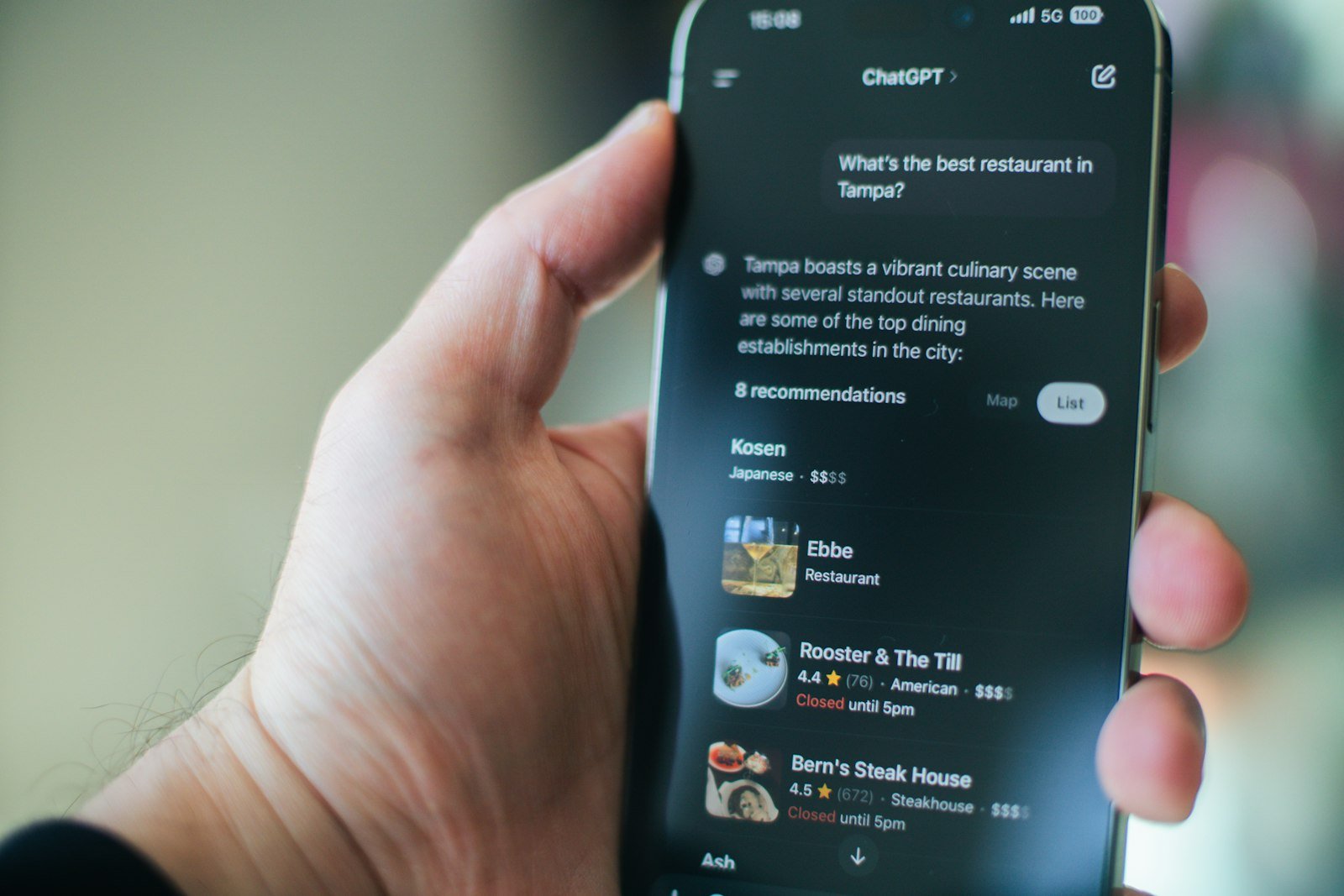
A growing number of customers now ask an AI assistant instead of typing into a search box. “Who is the best roofer in Hamilton?” “Which dentist near me takes new patients?” The assistant answers with a short list of names. If your business is not on that list, you never get the call.
In BrightLocal’s 2026 Local Consumer Review Survey of 1,002 US consumers, use of ChatGPT and other generative AI (artificial intelligence that writes new text) tools for local recommendations rose from 6% the year before to 45%. This playbook explains how ChatGPT, Gemini, Perplexity and Microsoft Copilot decide which businesses to mention, how to test where you stand today, and the practical fixes that make you easier to recommend.
How AI assistants decide which businesses to mention
When you ask an assistant about something current or local, it usually searches the web first, reads a handful of pages and then writes its answer. The companies describe this in their own documentation:
- ChatGPT finds pages for its search feature with a crawler (a program that visits web pages to read them) called OAI-SearchBot. OpenAI’s crawler documentation says sites that block it “will not be shown in ChatGPT search answers”. Its publishers FAQ says “Any public website can appear in ChatGPT search” and mentions that it also gets some links from a third-party search provider.
- Google’s AI Overviews and AI Mode are built on Google Search. Google’s guide to AI features says that to be shown as a supporting link, “a page must be indexed and eligible to be shown in Google Search with a snippet.” The Gemini app can also show sources and related links under its answers.
- Microsoft Copilot draws on Bing. Bing’s AI Performance report counts how often a site is cited in “Microsoft Copilot, AI-generated summaries in Bing, and select partner integrations”.
- Perplexity uses PerplexityBot, which its crawler page says “is designed to surface and link websites in search results on Perplexity.”
So there is no secret AI index you need to get into. The assistants lean on the same things search engines do: pages they are allowed to read, listings they can check, and other sites that talk about you. Google says it plainly: “There are no additional requirements to appear in AI Overviews or AI Mode, nor other special optimizations necessary.” If you want the background on how this differs from SEO (search engine optimisation), the SEO vs AEO vs GEO playbook covers the terms.
One more reason this matters: fewer people click through when an AI summary answers the question. Pew Research Center tracked the Google searches of 900 US adults in March 2025 and found they clicked a regular result less often when an AI summary was shown, and rarely clicked the links inside the summary.
Test where you stand today
Before you change anything, find out what the assistants say now. Use the builder to create five questions that sound like a real customer, then ask each one in ChatGPT, Gemini, Perplexity and Copilot.
AI visibility test builder
Fill in four boxes to get five test questions. Ask each one in ChatGPT, Gemini, Perplexity and Copilot, and write down what comes back.
Ask questions the way a customer would. Save the answers with the date so you can compare them in 30 days. Answers change from one day to the next, so look for patterns, not single results.
Look for three things in each answer: whether you were named, whether the details about you were right (hours, area, services), and which websites were linked as sources. The sources are the most useful part. They show you which directories, review sites and articles the assistant trusts in your area, and that tells you where you need to be.
Make sure AI crawlers can read your site
This is the fix that takes five minutes and matters most. If a bot is blocked, nothing else on this list helps with that assistant. Each company publishes the name of its crawler, and you control them in robots.txt (a small text file at yourdomain.com/robots.txt that tells bots which pages they may visit).
| Crawler | Company | What it does | For visibility |
|---|---|---|---|
| OAI-SearchBot | OpenAI | Finds pages for ChatGPT search answers | Allow |
| GPTBot | OpenAI | Collects content that may be used to train OpenAI models | Your choice: blocking it does not remove you from ChatGPT search |
| PerplexityBot | Perplexity | Finds and links pages in Perplexity answers | Allow |
| Googlebot | Crawls for Google Search, which AI Overviews and AI Mode build on | Allow | |
| Bingbot | Microsoft | Crawls for Bing, which Copilot draws on | Allow |
OpenAI says its settings are independent: you can allow OAI-SearchBot and block GPTBot, and changes take about 24 hours to reach its search systems. Perplexity gives the same 24-hour estimate. OpenAI also notes that ChatGPT-User, which fetches a page when someone asks about it, is not used to decide what appears in search.
Most small business sites do not block these bots in robots.txt. The more common problem is a setting further up: Google's guide lists "Ensuring that crawling is allowed in robots.txt, and by any CDN or hosting infrastructure" as a basic. A CDN (content delivery network, a service such as Cloudflare that sits in front of your site) or a security plugin can have its own bot blocking. Check those settings, or ask whoever manages your hosting.
If your robots.txt blocks everything except Google, add lines like these. Copy them, then ask your web person to add them to the file.
User-agent: OAI-SearchBot
Allow: /
User-agent: PerplexityBot
Allow: /
Two more basics from Bing's guidance on sitemaps for AI-powered search: submit an XML sitemap (a file that lists every page on your site) in Bing Webmaster Tools, and use IndexNow, a free way to tell Bing straight away when a page changes. Some WordPress SEO plugins can switch IndexNow on for you. If your site is not yet in Google Search Console, the GA4 setup guide walks through the free Google tools.
Make your listings say the same thing everywhere
Assistants cross-check. If your website says you close at 6, Google says 5 and a directory has an old phone number, you look less certain than a competitor whose details match everywhere. Google's guide to AI features includes "Checking that your Merchant Center and Business Profile information is up-to-date" in its list of basics, and Bing tells local businesses to keep their details current in Bing Places for Business.
- Google Business Profile. Complete every field, choose accurate categories and list your services. The Google Business Profile guide goes field by field.
- Bing Places for Business. Often forgotten. Microsoft recommends it for local businesses that want to be cited in Copilot.
- The directories your test turned up. If an assistant linked to Yelp, a trade association, a local chamber or a "best of" list, make sure you are on it and your details are right.
- Name, address, phone and hours. Write them the same way everywhere. The local SEO checklist has the full list.
Reviews matter here too. BrightLocal found that 82% of consumers read AI-generated review summaries. When an assistant summarises what people say about you, it can only work with the reviews you have, so keep asking happy customers for them.
Write pages an AI assistant can quote
An assistant can only repeat what it can read and understand. Bing's advice on being cited in Copilot is practical: strengthen depth and expertise, improve structure and clarity with clear headings, tables and FAQ sections, support claims with evidence, and keep content fresh. Google asks for important content "in textual form" and for structured data (code that labels facts like your hours for search engines) that matches what the page shows.
In practice that means one page for each main service, not a single "Services" page with a list. The service pages playbook has a builder that drafts the outline for you. Three habits make the biggest difference:
- Answer first. Start each page with two or three sentences that answer the obvious question: what you do, where, and for whom.
- Put the facts in text. Price ranges, service area, hours and guarantees should be written out, not only in a photo of a flyer.
- Add the questions customers really ask. Use the wording from your phone calls and emails, with short, direct answers.
What you do not need: Google says you do not need "new machine readable files, AI text files, or markup" and that there is "no special schema.org structured data that you need to add." Be careful with anyone selling a special AI file or code as the answer.
Earn mentions on other websites
Your own site says you are good. Other sites saying it is more convincing, to people and to the assistants that read them. Look back at the sources from your test: those are the sites worth being on. Common ones for local businesses are:
- Local news and community sites, which often cover new openings, awards and charity work.
- Industry and trade association directories.
- "Best of" lists from local publications.
- Suppliers and partners who list recommended installers or stockists.
- Answers on community forums, as long as you are helpful and open about who you are.
Bing also suggests making sure text, images and video describe the same things the same way. If your videos call it "eavestrough repair" and your website says "gutter cleaning", pick the words your customers use and stick to them.
Measure what AI sends you
You cannot see a ranking for AI answers, but you can see some of the effect:
- Referral traffic in GA4 (Google Analytics 4). OpenAI says ChatGPT "automatically includes the UTM parameter utm_source=chatgpt.com" in links it sends. A UTM parameter is a tag added to a link that tells analytics where the visit came from. Look for chatgpt.com in your traffic sources. You may also see perplexity.ai, gemini.google.com or copilot as referrers.
- Bing Webmaster Tools. The AI Performance report, in public preview since February 2026, shows how often your pages are cited in Copilot and Bing's AI summaries, and the "grounding queries" (the search phrases the AI used to find your page).
- Google Search Console. Google counts clicks from AI Overviews and AI Mode in the normal Performance report under the "Web" search type. They are not shown separately.
- Your monthly test. Repeat the five questions every month and compare. This is the most direct measure you have.
Tick these off as you go. Your progress is saved in this browser.
- Ran the five test questions in ChatGPT, Gemini, Perplexity and Copilot, and saved the answers.
- Checked robots.txt: OAI-SearchBot, PerplexityBot, Googlebot and Bingbot are not blocked.
- Checked the hosting, CDN and security plugin settings for AI bot blocking.
- Added the site to Google Search Console and Bing Webmaster Tools, with a sitemap submitted to both.
- Completed the Google Business Profile so it matches the website.
- Claimed and updated the Bing Places for Business listing.
- Made name, address, phone and hours the same on every listing.
- Gave each main service its own page that names the service and the area.
- Wrote prices, service area and hours as text, not only in images.
- Added an FAQ with real customer questions to each service page.
- Asked recent customers for reviews this month.
- Set a monthly reminder to repeat the test and check AI referrals in GA4.
If you use AI in your own marketing too, the Claude for marketing playbook has prompts for writing the FAQ answers and service pages above.
Tools for the job
| Tool | Use it for | Cost |
|---|---|---|
| ChatGPT | Running the visibility test questions | Free and paid plans |
| Google Gemini | Running the visibility test questions | Free and paid plans |
| Perplexity | Running the test and seeing which sources it cites | Free and paid plans |
| Microsoft Copilot | Running the visibility test questions | Free and paid plans |
| Bing Webmaster Tools | Sitemaps, IndexNow and the AI Performance report | Free |
| Google Search Console | Checking your pages are indexed in Google | Free |
| Bing Places for Business | Your business listing on Bing and Copilot | Free |
Plans and pricing change. Check each tool's site for current details.
Frequently asked questions
How do I get my business recommended by ChatGPT?
Make sure ChatGPT can find you: do not block OAI-SearchBot, keep your listings complete and consistent, publish clear pages for each service, and earn mentions on sites it already cites. OpenAI says any public website can appear in ChatGPT search, but no one can guarantee a mention.
Do I need an llms.txt file or special AI code?
Not for Google. An llms.txt file is a proposed text file that summarises a website for AI tools. Google says you do not need new machine-readable files, AI text files or markup to appear in AI Overviews or AI Mode, and there is no special schema you need to add. Spend the time on your listings and pages instead.
Will blocking GPTBot remove me from ChatGPT?
No. OpenAI says its crawler settings are independent. GPTBot collects content that may be used for training, and OAI-SearchBot finds pages for ChatGPT search. Keep OAI-SearchBot allowed if you want to appear in ChatGPT answers.
Why does an AI assistant recommend my competitor and not me?
Usually because it found more, clearer or more consistent information about them: a complete profile, more reviews, a page for the exact service, or mentions on sites it trusts. Run the test, look at the sources it linked, and close those gaps first.
How long does it take to show up in AI answers?
There is no published timeline. OpenAI and Perplexity say robots.txt changes take about 24 hours to reach their search systems, but being named depends on what the assistant finds and trusts, which builds over weeks and months.
How can I tell if AI tools send me customers?
In GA4, look for chatgpt.com in your traffic sources; OpenAI adds utm_source=chatgpt.com to its links. Bing Webmaster Tools shows Copilot citations, and Google counts AI Overviews clicks in Search Console. Also ask new customers how they found you.
Related playbooks
Browse every playbook on AI for marketing, or see all marketing playbooks.
Sources
- AI features and your websiteGoogle Search Central · updated December 10, 2025
- Overview of OpenAI crawlersOpenAI
- Publishers and developers FAQOpenAI Help Center
- Perplexity crawlersPerplexity
- Introducing AI Performance in Bing Webmaster Tools public previewMicrosoft Bing Webmaster Blog · February 10, 2026
- Keeping content discoverable with sitemaps in AI-powered searchMicrosoft Bing Webmaster Blog · July 31, 2025
- View related sources and double-check responses from Gemini AppsGemini Apps Help
- Google users are less likely to click on links when an AI summary appears in the resultsPew Research Center · July 22, 2025
- Local Consumer Review Survey 2026BrightLocal · February 11, 2026
Remar Catapang is a full-funnel marketing strategist based in Ontario, Canada. He has worked in marketing since 2020 and continues to lead search, CRM automation, web, paid media and experiential campaigns for businesses in Canada, the United States, Australia, Egypt and the Philippines. His playbooks are based on that ongoing work. Questions about this playbook: remarcatapangjr@gmail.com