How businesses can use Muse by Meta: how it works and ways to get more customers
What Muse by Meta is, how the AI agent works behind the scenes, and practical ways businesses can use it to win more customers, with prompts to copy.

Muse is Meta’s AI agent. Muse for Small Business, launched on September 29, 2026, connects to your Facebook Page, Instagram, Meta ads and tools like Shopify, Stripe, Klaviyo and HighLevel, learns what you sell and how you sound, and works on goals in the background. Nothing publishes, sends or spends without your approval. Use it to find what is working, plan for slow seasons, reply faster, keep content and ads moving, and win back past customers. It is free to start, with limits, in the US and Canada.
- Muse is an AI agent: you give it a goal and it works on it in the background.
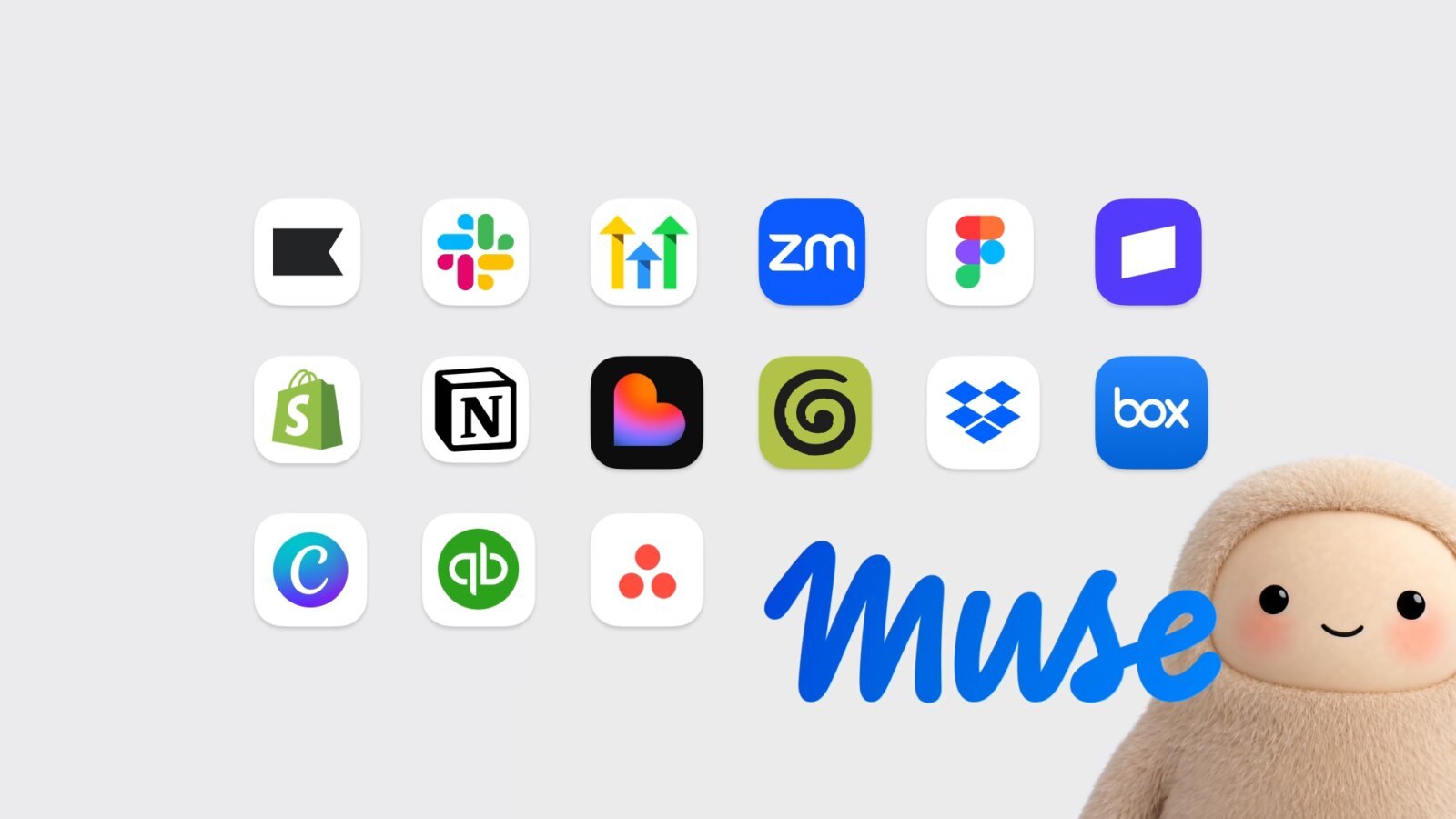
- For businesses it connects to Facebook Pages, Instagram analytics, Meta ads and tools like Shopify, Stripe, QuickBooks, Klaviyo and HighLevel.
- Meta says nothing publishes, sends or spends without your approval.
- Best first jobs: content and ad analysis, season plans, faster replies, content drafts and win-back emails.
- Users rate it 4.9 on the App Store and 4.7 on Google Play, but reviewers still find factual mistakes.
- Free with usage limits, in the US and Canada for people 18 and older.
- Start with one goal, connect only what it needs, and review every draft.
Key terms explained (13)
- Muse
- Meta’s personal AI agent, available in the Muse app, on muse.ai and in WhatsApp.
- Muse for Small Business
- Muse with extra skills and connectors for running a business, launched September 29, 2026.
- AI agent
- An AI that carries out tasks towards a goal, not only answers questions.
- Connector
- A link that lets Muse use another app, such as Shopify or Slack, with your permission.
- Muse Spark
- The AI model Meta says powers Muse.
- Virtual machine (VM)
- A private computer that runs in the cloud. Each person’s Muse runs in its own.
- Sentinel
- A second agent that Meta says checks what Muse does before it reaches the internet.
- Audit trail
- A log of the actions Muse has taken and plans to take.
- CRM
- Customer relationship management system. Software that stores your contacts and deals.
- Instagram professional account
- A business or creator Instagram account, which gives access to analytics.
- Meta ad account
- The account that holds your Facebook and Instagram ads and their billing.
- UTM parameter
- A tag added to a link that tells your analytics where a visit came from.
- GA4
- Google Analytics 4, Google’s free tool for measuring visits to your website.
Most small business owners are not short of ideas. They are short of hours. That is the problem Meta says it built Muse for Small Business to solve: an AI agent (an AI that carries out tasks, not only answers questions) that learns your business, works in the background, and asks for your approval before anything goes out.
This playbook explains what Muse by Meta is, how it works behind the scenes, and practical ways a business can use it to find and win more customers, along with its limits and how to stay in control.
What is Muse by Meta?
Muse is Meta’s personal AI agent. Meta introduced it on September 8, 2026 as an agent that “proactively helps people meet their goals and suggests ideas.” You can use it in the Muse app, on muse.ai, or by messaging it in WhatsApp. It is powered by Muse Spark, which Meta calls its most capable model so far.
On September 29, 2026, Meta extended Muse to small businesses with new skills and connectors (links that let Muse use your other apps). In Meta’s words: “Give Muse a goal — like running your business or finding new customers — and it gets it done.”
| Question | Answer, from Meta |
|---|---|
| Who is it for? | Small business owners, plus anyone using Muse personally |
| Where is it available? | The US and Canada, for people aged 18 or older |
| What does it cost? | Free for most of what people need, with usage limits. Paid subscription plans add more |
| Where do I use it? | The Muse app (iOS and Android), muse.ai, or WhatsApp |
| Does it act on its own? | It works in the background, but “nothing publishes, sends, or spends without your approval” |
Availability and pricing as published by Meta in September and October 2026. Check muse.ai/business for the latest. Cover image and app screenshots: Meta.
How Muse works
Muse is different from a chatbot you type questions into. Four things make it an agent:
- You give it a goal. For example, “find new customers before the holidays” or “plan next month’s content”. Muse helps turn the goal into a plan.
- It learns your business. Once you connect your accounts, Meta says Muse learns “what you sell, how your brand sounds, and what customers ask about”. It also remembers details you mention.
- It works in the background. Meta says Muse “keeps working after people close the app” and comes back when something changes or it needs approval. It can flag emails that need replies, write first drafts and suggest ideas without being asked.
- You approve. Muse checks with you before sensitive actions such as sending an email, publishing or buying something. You also get an audit trail (a log of what it did and plans to do).
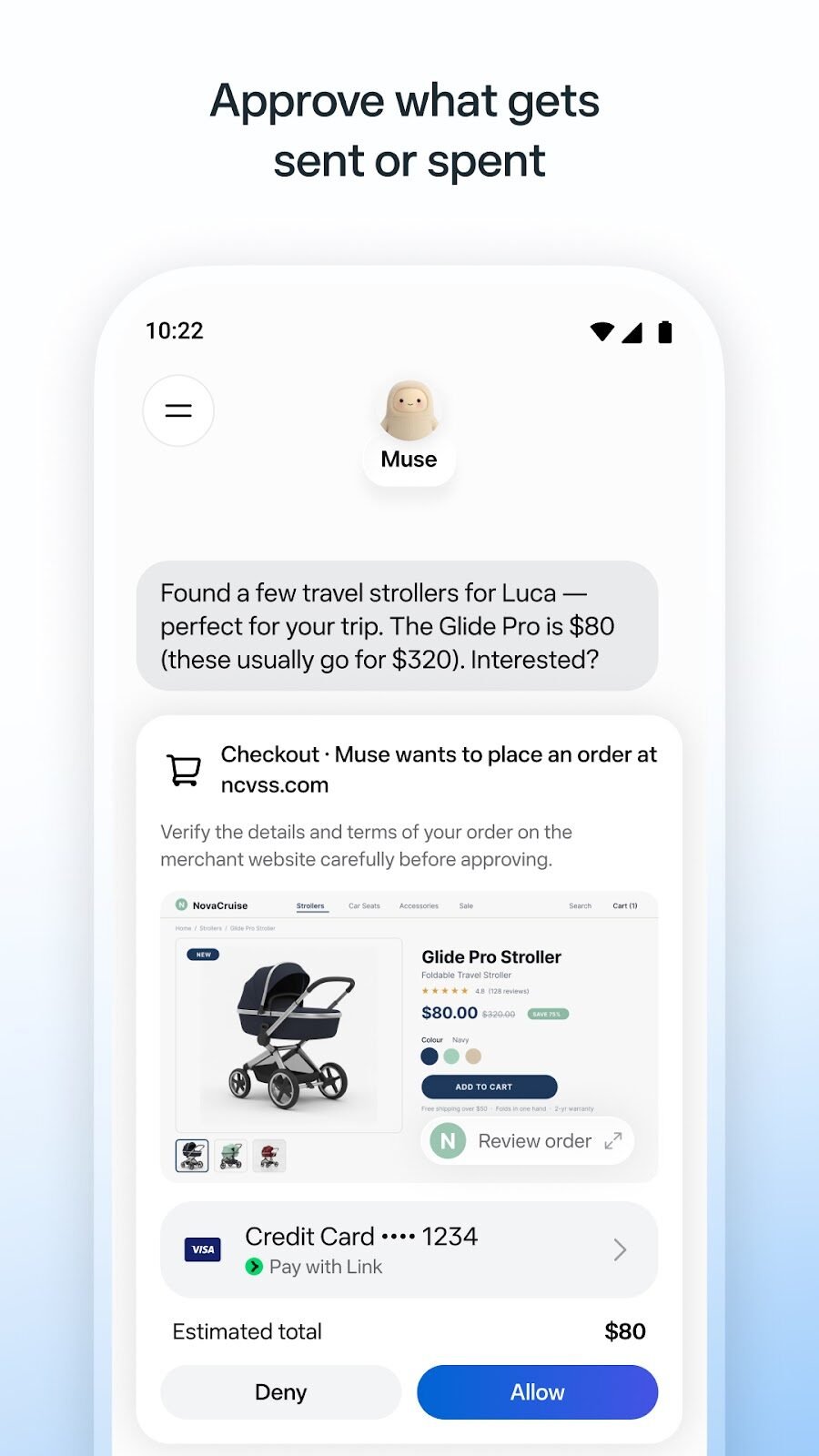
Behind the scenes, Meta says each person’s Muse runs in its own Muse Secure VM (a private virtual computer in Meta’s cloud that holds the agent and your data). A second agent, called the Sentinel, reviews what Muse does: “Nothing Muse does reaches the internet unless the Sentinel approves it.” Meta also says Muse “has no visibility into people’s passwords or payment methods”, that you can revoke access at any time, and that Muse conversations are not shared with Meta’s ad systems. Meta’s research team explains the design in How We Built Safety Into Muse, including the note that browsing activity can still indirectly influence ads you see on other platforms.
What it connects to
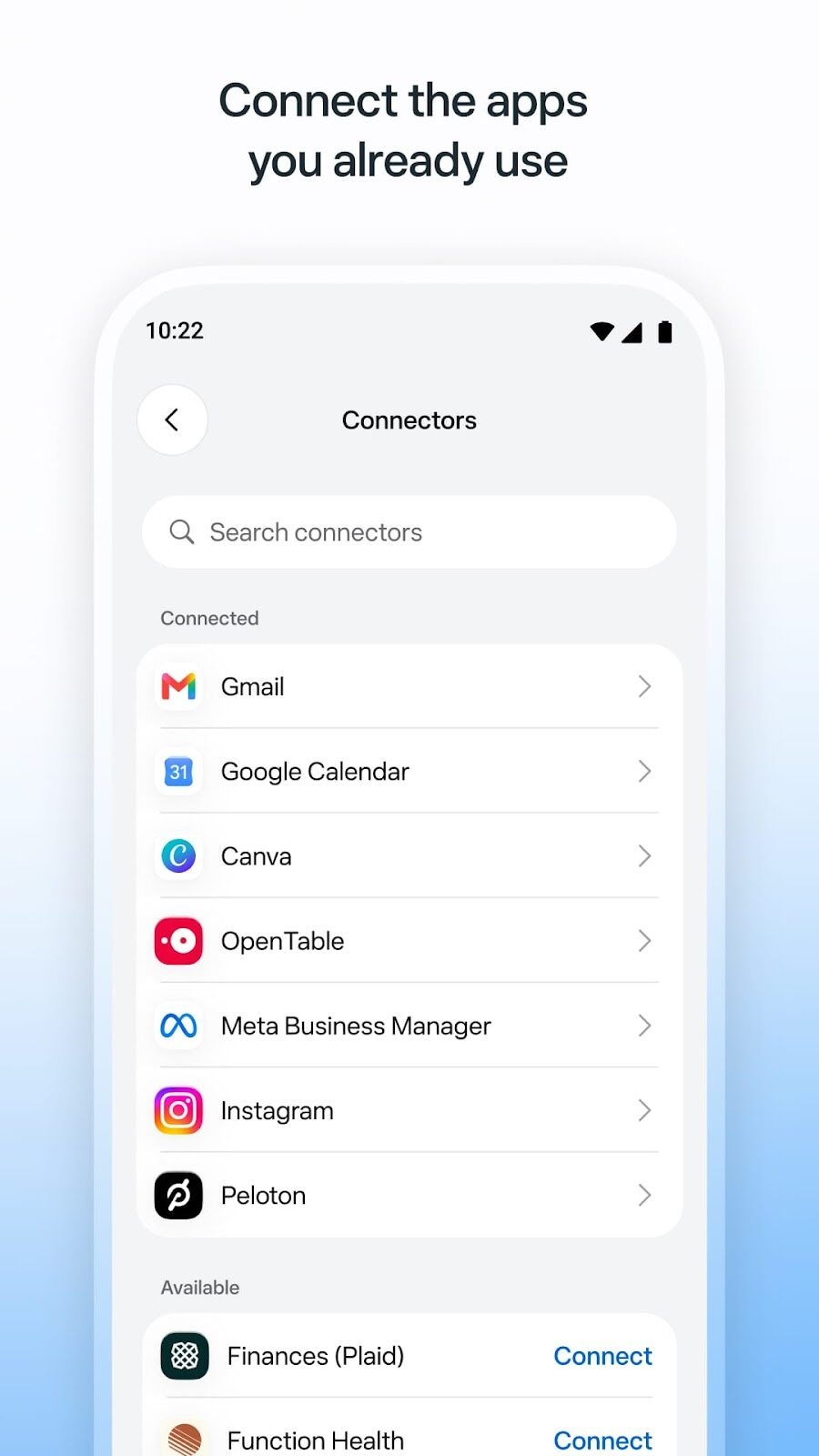
For businesses, Muse connects to Facebook Pages, Instagram professional account analytics and Meta ad accounts “in a few clicks”, plus a list of business tools. Meta says more are coming, and you can add custom connectors for services that are not listed.
Ways businesses can use Muse to get more customers
Meta’s own examples point to five jobs that connect directly to winning customers. Each one below has a prompt you can copy and paste into Muse. Change the parts in square brackets.
1. Find out what is working, then do more of it
With your Instagram, Facebook Page and ad account connected, Muse can look across them at once, something most owners never find time to do.
Look at my Instagram posts, Facebook Page and Meta ads from the last [30] days. Tell me which three posts and which ad brought the most engagement and messages, what they have in common, and draft a campaign for next week built on that. Do not publish anything.
2. Plan for slow and busy seasons
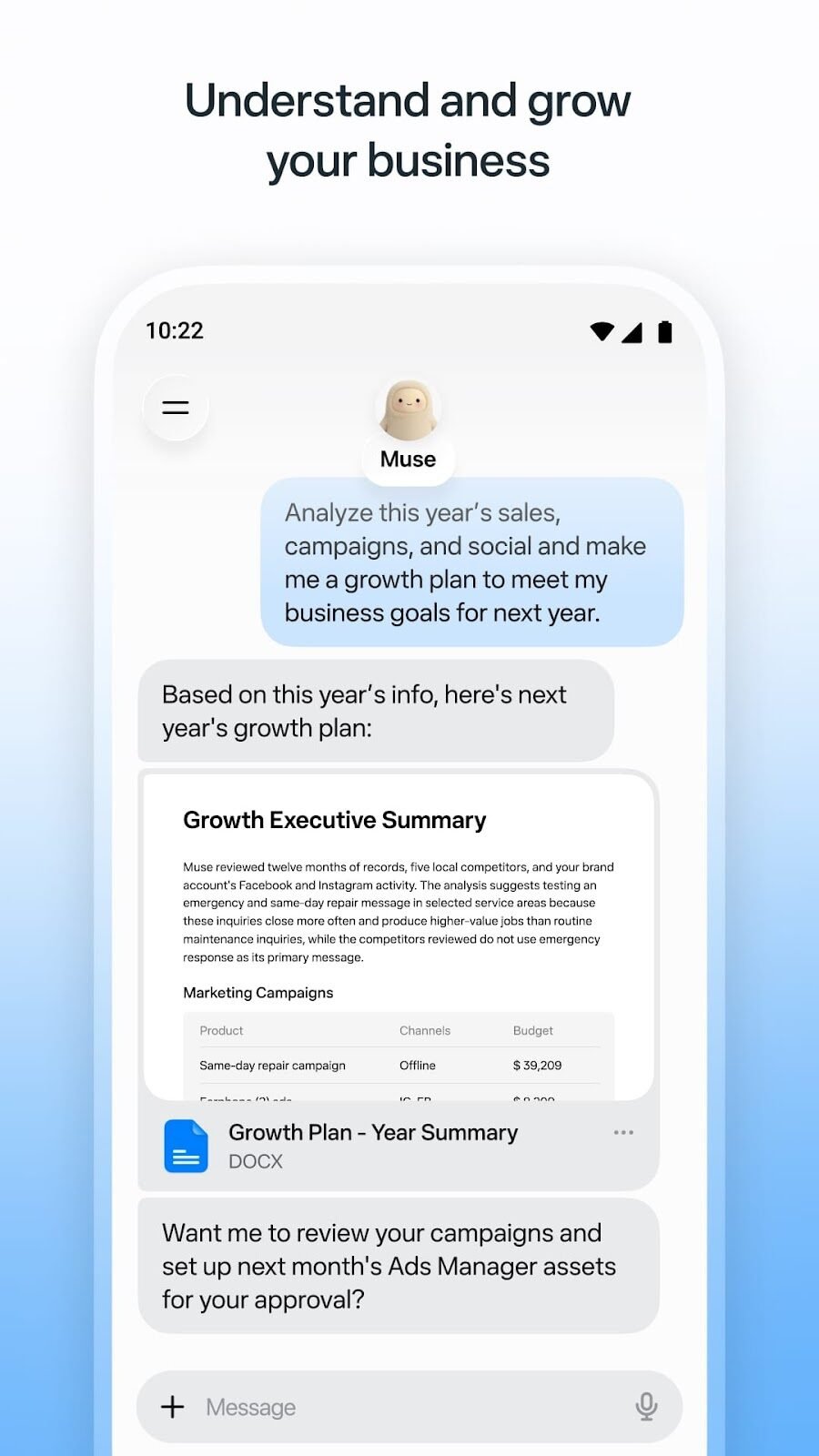
Meta’s business page describes Muse offering plans for slow and busy seasons. If your sales data is connected through Shopify, Stripe or QuickBooks, the plan can be based on your real numbers.
Using this year’s sales, campaigns and social activity, build a growth plan for [next quarter]. I want more [type of customer] during [our slowest months]. Give me three campaign ideas, a rough budget for each and what to measure.
3. Reply faster
Slow replies lose customers. Muse can flag emails that need a response and draft replies for you to approve. If you use HighLevel as your CRM (customer relationship management system), you can connect it too.
Every morning at [8 a.m.], show me customer emails and enquiries that have not had a reply, ordered by how likely they are to turn into a sale. Draft a reply for each in my brand voice. I will approve them before anything is sent.
4. Keep content and ads moving
Muse can plan a month of content and help create posts and ads, with Canva connected for the designs. You stay the editor.
Plan [four weeks] of Instagram and Facebook posts for [business] around [this month’s offer]. Mix tips, behind-the-scenes and customer stories. Draft the captions and suggest an image for each. Add one Meta ad idea per week with a suggested daily budget.
5. Win back past customers
Past customers are usually the cheapest to win. With an email tool such as Klaviyo connected, Muse can draft a win-back email.
Find customers who bought from us in the last year but not in the last [90] days. Draft a short email inviting them back with [offer], and suggest the best day to send it. Show me the draft and the list size before anything is sent.
Which jobs suit your business?
Not every business should start in the same place. Pick the closest match for three good first jobs.
Where should Muse start in your business?
Pick the type of business closest to yours to see three good first jobs for Muse.
These are starting points built from the tasks Meta describes. Muse drafts and suggests; you approve before anything is sent, posted or paid.
How to set up Muse for your business
- Sign up. Go to muse.ai/business or download the Muse app and log in with your mobile number or email. Meta also has a get started guide for business.
- Connect your Meta accounts. Your Facebook Page, Instagram professional account and Meta ad account give Muse the most useful context.
- Add the tools you already use. The full list is in the Muse app settings. Only connect what the first job needs.
- Give it one goal for one week. For example, "plan and draft next week's posts and one ad".
- Review everything. Read each draft, edit it, then approve. Check the audit trail at the end of the week.
Tick these off as you go. Your progress is saved in this browser.
- Signed up for Muse with the account I use for the business.
- Connected the Facebook Page, Instagram professional account and ad account.
- Connected only the other tools the first job needs.
- Read Meta's "How We Built Safety Into Muse" article and checked what each connection can access.
- Gave Muse one clear goal for the week.
- Reviewed and edited every draft before approving it.
- Checked the audit trail at the end of the week.
- Decided whether to widen what Muse does, or keep it to drafts.
What users say about Muse
Muse has been popular from the start. TechCrunch reported that it topped the US and Canadian app charts ahead of ChatGPT after launch. Here is where user ratings stood when we checked on October 14, 2026:
Reading through the written reviews, a few themes come up again and again:
- What people like: getting more done in less time than with a regular chatbot, the generous free tier, and Muse finishing multi-step tasks such as filling in forms and doing research.
- What people complain about: worries about giving Meta access to email and personal data, Muse forgetting details it had been told, and some features doing less than the ads suggest.
Professional reviewers say much the same. Yahoo Finance's Daniel Howley tested Muse on everyday tasks and concluded that it "generally proved to be a solid helper" for multi-step jobs. It booked a dinner through OpenTable and had two moving companies call him within about two minutes. But it also suggested a restaurant that had closed years earlier and gave him a phone number it had made up. For a business, that is the lesson: let Muse do the legwork, and check the facts before anything goes to a customer.
Star ratings change daily. They reflect personal use of Muse as well as business use.
Pros and cons
| Pros | Cons and things to watch |
|---|---|
| Works in the background on goals, not just single questions | New: launched in September 2026, so expect changes and some rough edges |
| Sees Facebook, Instagram and Meta ads together with your other tools | Only in the US and Canada for now, for people 18 and older |
| Free to start, with paid plans for heavier use | Free use has limits; check the subscription terms before you rely on it |
| You approve before anything is sent, posted or paid | Approvals only help if you actually read the drafts |
| Meta describes strong security: a private virtual machine, a Sentinel check and an audit trail | You are giving an AI access to business accounts. Connect only what you need |
| Learns your brand voice and common customer questions | Drafts can still be wrong. Check prices, dates and promises every time |
A good rule: treat Muse like a capable new assistant in their first month. Give clear goals, check the work, and widen responsibility as it earns your trust. If you are comparing AI tools, the best AI tools for business playbook puts Muse next to ChatGPT, Claude and Gemini.
How to tell if it is working
Measure Muse the same way you measure any marketing help: by results, not activity.
- Time saved. Note the hours you spend on replies, posts and reports before and after.
- Reply speed. How long enquiries wait for an answer.
- Leads and sales from campaigns it drafted. Tag links with UTM parameters (tags that tell your analytics where a visit came from) so you can see them in GA4. The GA4 setup guide shows how.
- Ad results. Cost per lead before and after. The Meta ads budget playbook has a calculator for this.
And if customers are using AI assistants to find businesses like yours, the AI search visibility playbook shows how to get mentioned in ChatGPT, Gemini and Perplexity.
Tools for the job
| Tool | Use it for | Cost |
|---|---|---|
| Muse for Small Business | The AI agent itself | Free with limits; paid plans |
| Meta Business Suite | Managing the Facebook Page and Instagram account you connect | Free |
| Canva | Designs for the posts and ads Muse drafts | Free and paid plans |
| Klaviyo | Email and text campaigns, such as win-back emails | Free and paid plans |
| Google Analytics | Measuring visits and leads from campaigns | Free |
Plans and pricing change. Check each tool's site for current details.
Frequently asked questions
What is Muse by Meta?
Muse is Meta's personal AI agent, launched in September 2026. You give it a goal and it works on it in the background, checking with you before sensitive actions. Muse for Small Business adds connectors and skills for running a business.
Is Muse free for businesses?
Meta says Muse for Small Business is free with usage limits, and offers paid subscription plans for people who want to do more. Check muse.ai/business for current details.
Where is Muse available?
Meta says Muse for Small Business is available to people aged 18 or older in the US and Canada. It has not given dates for other countries.
Can Muse post or spend money without me?
Meta says no: "nothing publishes, sends, or spends without your approval." You approve actions such as sending an email, publishing or buying, and you can see an audit trail.
What apps does Muse connect to?
For businesses: Facebook Pages, Instagram professional account analytics, Meta ad accounts, Asana, Box, Canva, Dropbox, Figma, Granola, HighLevel, Intuit QuickBooks, Klaviyo, Lovable, Notion, Shopify, Slack, Stripe and Zoom, with more coming and custom connectors possible.
What do users think of Muse?
As of October 14, 2026, Muse from Meta was rated 4.9 out of 5 from about 241,000 ratings on the App Store and 4.7 from about 76,400 reviews on Google Play. Users praise how much it gets done and the free tier; common complaints are privacy worries and mistakes such as forgotten details.
Is my business data safe with Muse?
Meta says each Muse runs in its own secure virtual machine, a Sentinel agent checks actions, Muse cannot see your passwords or payment methods, and conversations are not shared with Meta's ad systems. Connect only the accounts each job needs and review access regularly.
Related playbooks
Browse every playbook on AI for marketing, or see all marketing playbooks.
Sources
- Muse for Small BusinessMuse (muse.ai) · Meta
- The Future Is for Everyone: Muse for Small BusinessMeta Newsroom · September 29, 2026, updated October 8, 2026
- Introducing MuseMeta Newsroom · September 8, 2026, updated September 30, 2026
- How We Built Safety Into MuseMeta AI Research · September 8, 2026
- Meta is expanding its AI agent Muse to small businessesTechCrunch · September 29, 2026
- Muse from Meta: ratings and reviewsApple App Store · checked October 14, 2026
- Muse from MetaGoogle Play · checked October 14, 2026
- Meta's Muse is an impressively capable AI agent, despite some hiccupsYahoo Finance · Daniel Howley · September 23, 2026
Remar Catapang is a full-funnel marketing strategist based in Ontario, Canada. He has worked in marketing since 2020 and continues to lead search, CRM automation, web, paid media and experiential campaigns for businesses in Canada, the United States, Australia, Egypt and the Philippines. His playbooks are based on that ongoing work. Questions about this playbook: remarcatapangjr@gmail.com